iUseLinux Logo

iUseLinux

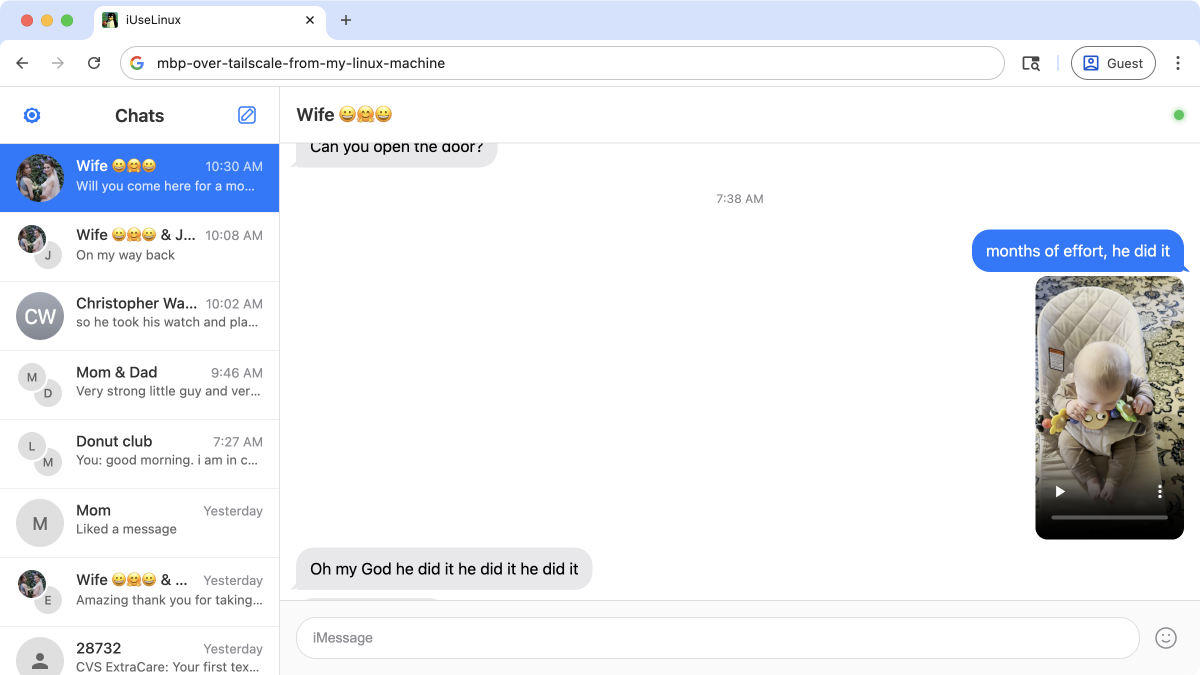
Run iMessage on your Mac. Access it from any browser over your VPN or Tailnet.

$ uvx iuselinux_

Click to copy

</> Screenshots

[Screenshot coming soon]

Web Interface

[Screenshot coming soon]

Conversation View

[Screenshot coming soon]

Terminal Output

FAQ

What is iUseLinux?
iUseLinux is a Python application that runs on your Apple machine and serves iMessage through a web interface. This allows you to access your iMessages from any device with a browser—Linux machines, Windows PCs, or any other computer on your network.
What do I need to run it?
You need a Mac (the iMessage host) with Python installed. The app uses uvx for easy installation—just run the command and you're ready to go. For remote access, you'll want a VPN or Tailscale/Tailnet setup.
Is it secure?
iUseLinux is designed to run over private networks only—your VPN or Tailnet. It does not expose your messages to the public internet. All traffic stays within your secure network.
Can I send and receive messages?
Yes! The web interface supports both reading your existing conversations and sending new messages. It's a full iMessage experience in your browser.
Does it work with group chats?
Yes, group conversations are fully supported. You can view and participate in group chats just like you would on your Mac or iPhone.
Why not BlueBubbles?
Actually, yeah, you should probably use BlueBubbles. I wanted to build this a long time ago, before that existed. Then I never checked to see if someone made a solution so I didn't know about them. This was mostly me having fun with Steve Yegge's beads plus Opus 4.5's capabilities.